Mission Control · the steering layer of the Software Factory
Stop babysitting agents.Put one in charge.
Mission Control's steering agent runs your coding agents around the clock: it starts the work, answers their questions and reviews what they ship. You decide how much it does on its own, and the rest reaches you in Slack or on your phone, one tap to approve.
kea-bookings#214 · Retry failed payment webhookspreset standard · run queued
The problem
Agents are cheap. Your attention is not.
one agent · one terminalyou: watching
$ agent> retry failed payment webhooks● Reading src/payments/… (12 files)● Editing enqueueRetry.ts● Running tests…⠋ Waiting on the model (2m 14s)you: still here. tab open. not doing your own work.
one issue · one run · five nodesyou: at lunch
planHermes · Thatchqueued
implementcoding agentqueued
validatetests, lintqueued
reviewsteering agentqueued
mergeyouqueued
Nothing needs you yet.
A single agent has to be watched, because it stops the moment it needs an answer and nothing tells you. In Mission Control another agent does the watching. It answers what your docs can answer, reviews what comes back, and hands you only the decisions you kept.
Those five nodes are the default line, not the only one. In the workflow editor a company draws its own: its own steps, what each one runs on, which of them wait for a person, and where the line splits to run two things at once. A new workflow saves as a draft until an owner publishes it, and none of them start themselves — a run begins when a person or the steering agent begins it.
The issues come off your own board, not ours: GitHub Projects or Linear, and several projects can share one Linear team.
You set the autonomy
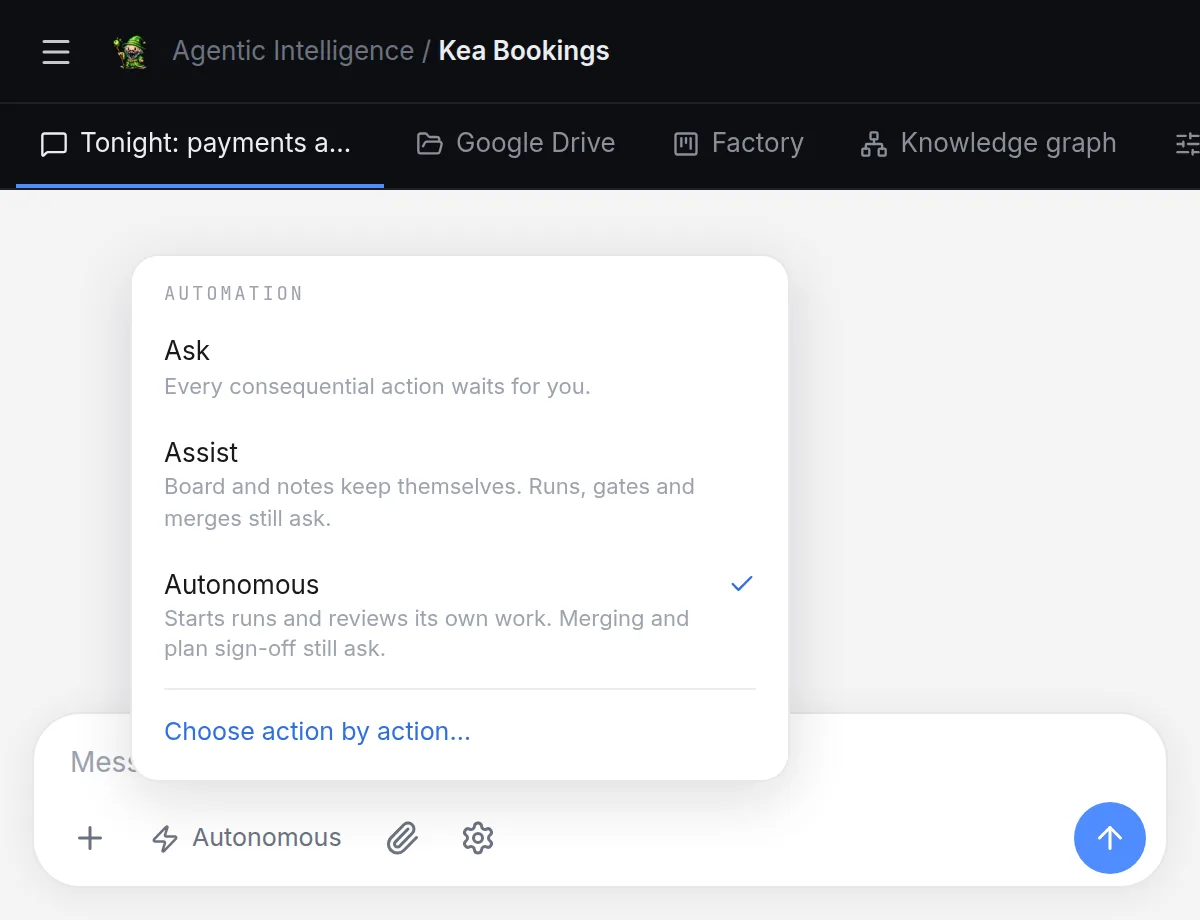
You decide what it does without asking.
Pick a posture, or set it action by action.
AskEvery consequential action waits for you.
AssistKeeps the board and your notes, and answers coders from your docs.
AutonomousAlso starts runs and reviews the work. Still asks before anything merges.
Switch everything on and it can take an issue from brief to merged on its own. Merging sits in no preset, so that only happens if you turn it on by name.
What it keeps for you comes to find you: a Slack message with an Approve button, or a push to your phone. To send work back, reply in the thread with what needs to change.
missioncontrol.softwarefactory.co.nz
Why that review is worth something
Letting an agent review your work is only reasonable if the review is more than a second opinion.
A score, not an opinion
The review is its own node: read-only, with no stake in the work it is reading. It scores the change against the issue it came from, out of 10, and for every gap it finds it says what would close it. A low score sends the work back with that list attached.
Green is a fact, not a claim
Whether a pull request is mergeable, and whether its checks are passing, is read from GitHub and worked out in code — then read again at the gate, after the review, in case something changed. No model gets to call a change with red CI safe to merge.
Tested the way the PR is tested
Validation does not run on the branch in isolation. It runs on the work branch merged with its base, which is the commit the pull request’s own checks run against. A change that passes alone and breaks on merge fails here, not after.
The computer you share
Not a chat window. A workstation you are both logged into.
An agent that can only write files is guessing. This one has a browser, a terminal and the project’s own services running next to it — and so do you, in the same sandbox, at the same time.
A browser you both drive
The agent opens the app, clicks through it and reads what came back. You watch it happen, take the controls when it is going the wrong way, and hand them back. The page streams straight out of the sandbox rather than through a preview proxy — which is why it is usable from this end of the world. Measured from Auckland, the old path was a 277 ms round trip, and a click took 307 to 364 ms to show up.
A terminal with your name on the same tabs
tmux tabs inside the sandbox. The agent runs the project’s dev server in one and its tests in another, and you see both beside the chat and type into them yourself. The tabs outlive closing the pane, and they outlive a deploy of Mission Control.
Docker, so it runs the real thing
The sandbox can bring up the project’s own services — the Postgres its compose file starts, the rest of the stack around it. The agent runs the app, not a description of the app, before it asks you to merge.
It can put something on and walk away
A long command, a watch on a pull request’s checks, a watch on one node of a run: the agent starts it as a background task, ends its turn, and is woken when it finishes. Each task stays visible where it was started, so you can read it without asking.
sandbox · tmuxyou: typing
dev
tests
db
task-3
$ mc-term run dev -- pnpm dev▸ compose up postgres · ready▸ local: http://localhost:3000$ mc-term run tests -- pnpm test 126 passed · 11.4s> pnpm test payments -t retryyou: same tabs. same box. both of you.
How it works
The night shift 17:40
17:40
You book the night
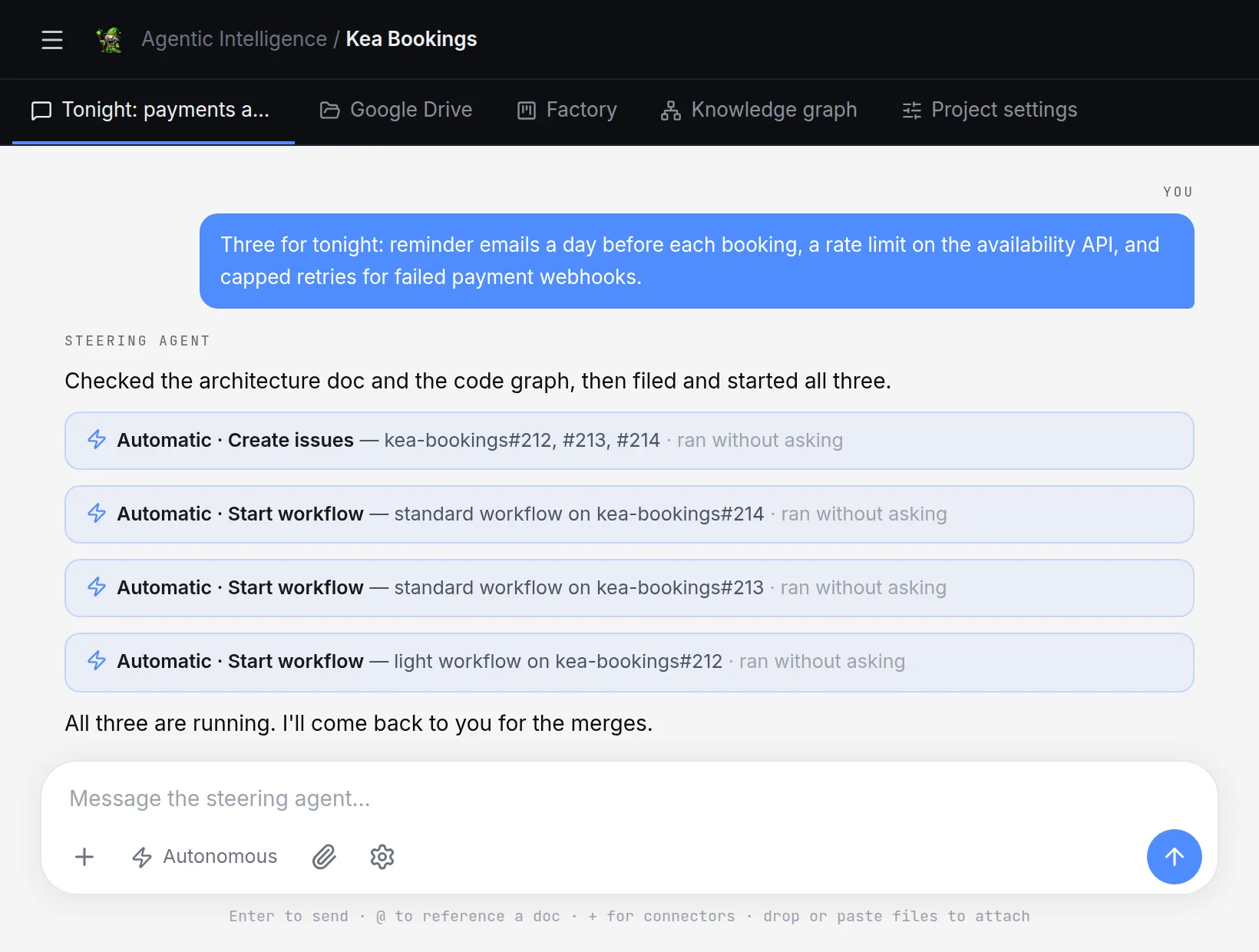
Three issues, a sentence each, in steering chat. The steering agent reads the Flight Manual and the code graph, files them, grades each one light, standard or heavy against the model that will build it, and books the lot — into tonight’s slots, or all at one time. On Ask, you approve the schedule first. And a cap on how many builds are open at once means a night of bookings is not a hundred pull requests in the morning.
missioncontrol.softwarefactory.co.nz
21:15
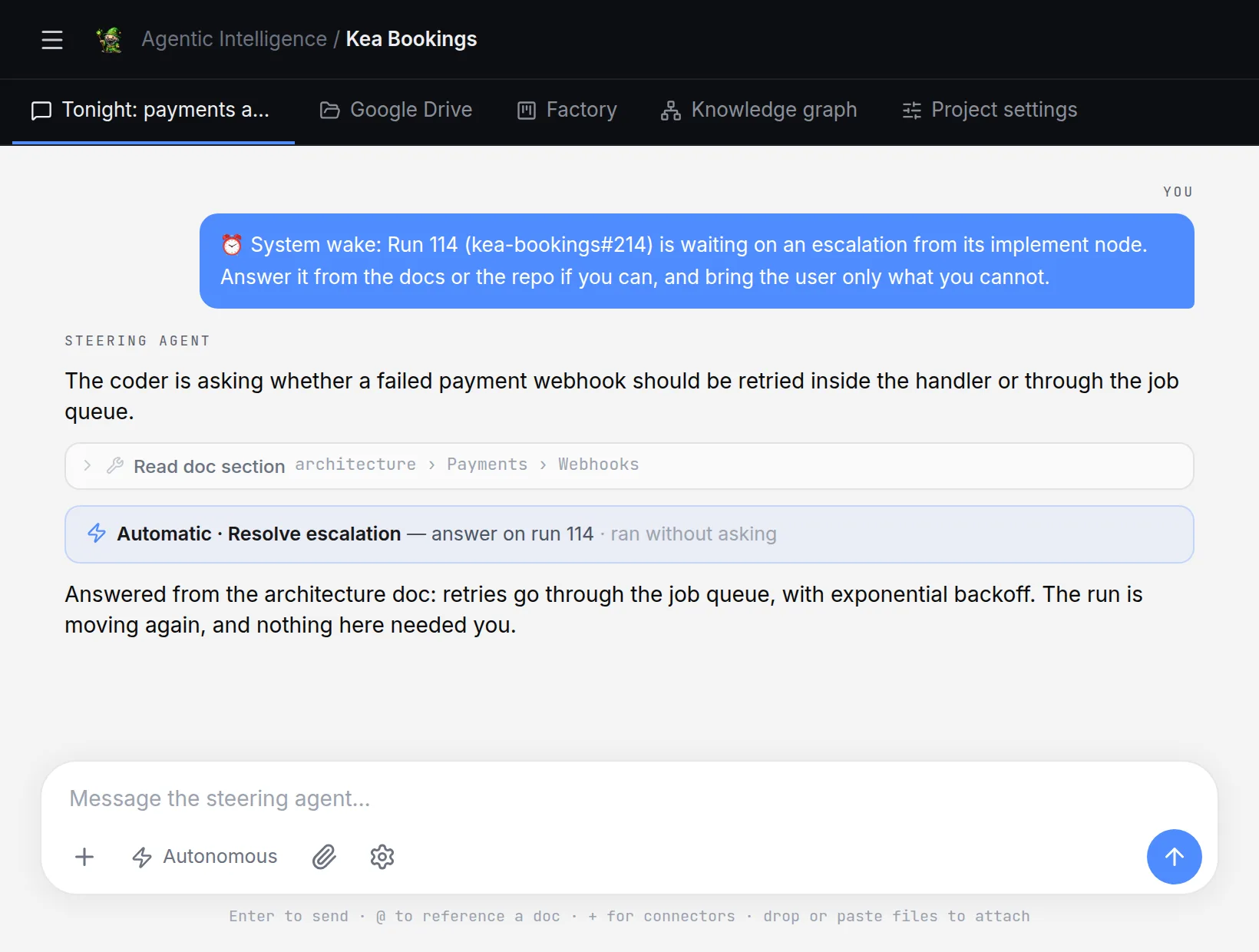
A coder gets stuck. The steering agent unsticks it.
The coder asks whether retries belong in the webhook handler or the job queue. The architecture doc says the queue, so the steering agent answers, cites the doc, and the run carries on. Nobody pings you.
missioncontrol.softwarefactory.co.nz
02:30
It reviews the work, and sends one back
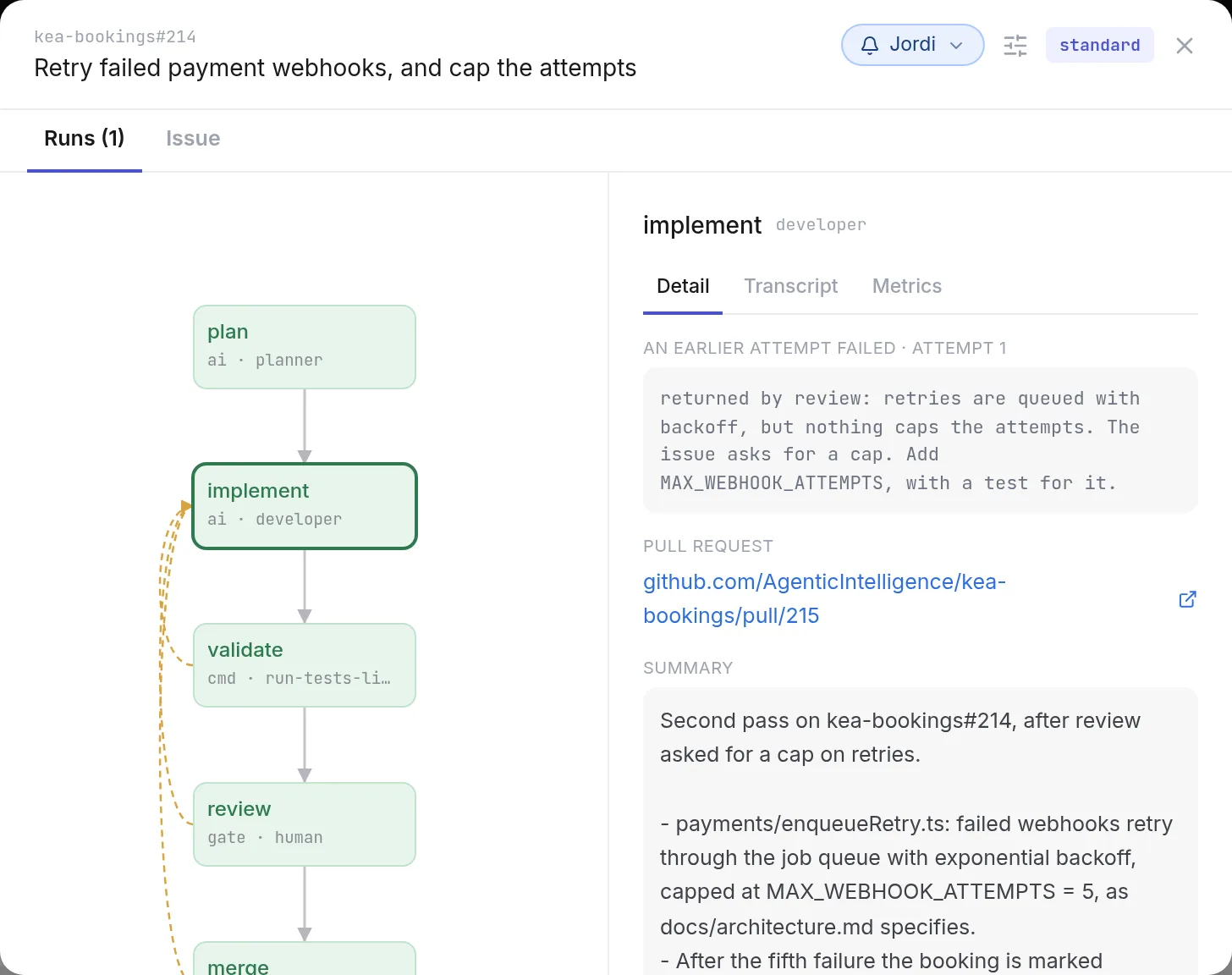
A read-only node scores the change against the issue it came from, out of 10 — not an opinion, a score with the gaps named. Tests pass, but the diff never caps the retries the issue asked for, so it goes back with that line attached. The second pass adds the cap.
missioncontrol.softwarefactory.co.nz
07:45
The one decision it kept for you
Three PRs wait at the merge gate, each with its tests and review attached. Approve from the notification, or from Slack.
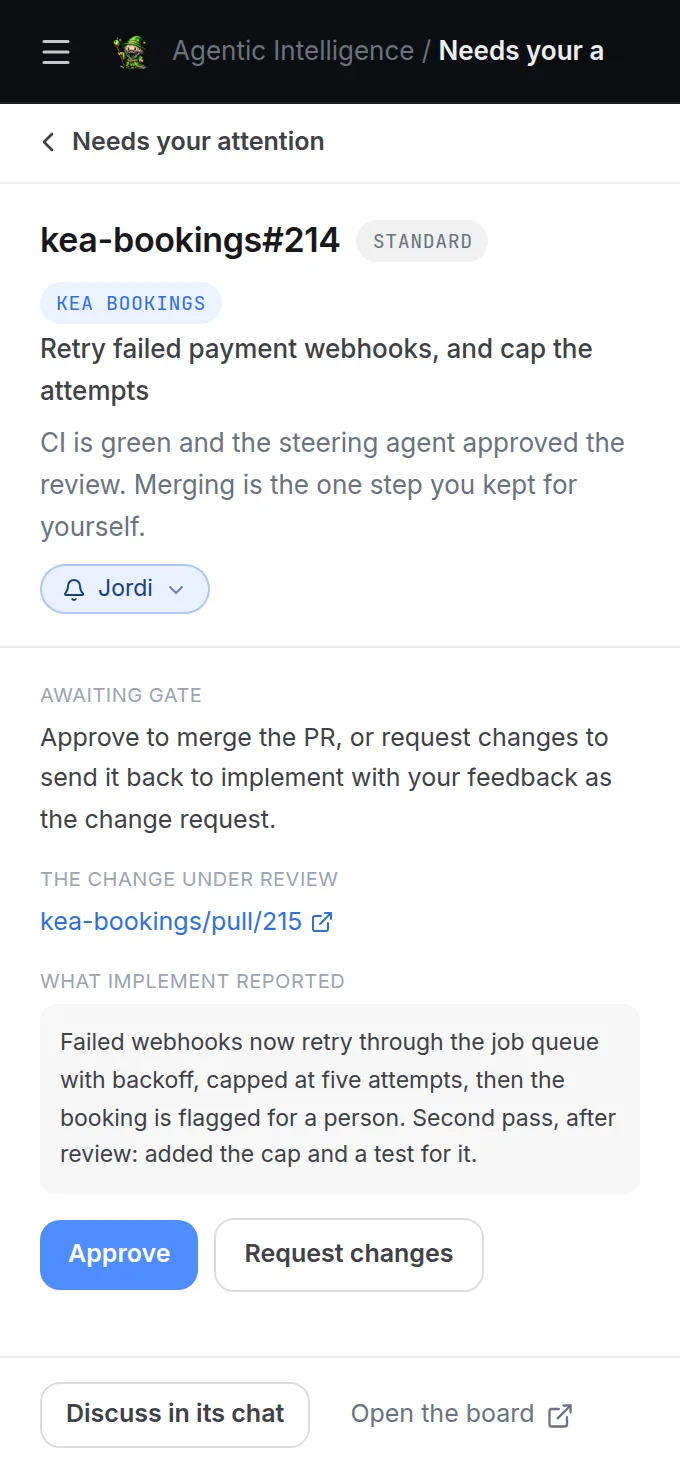
07:46
Merged before your coffee
A night of agent time. A minute of yours.
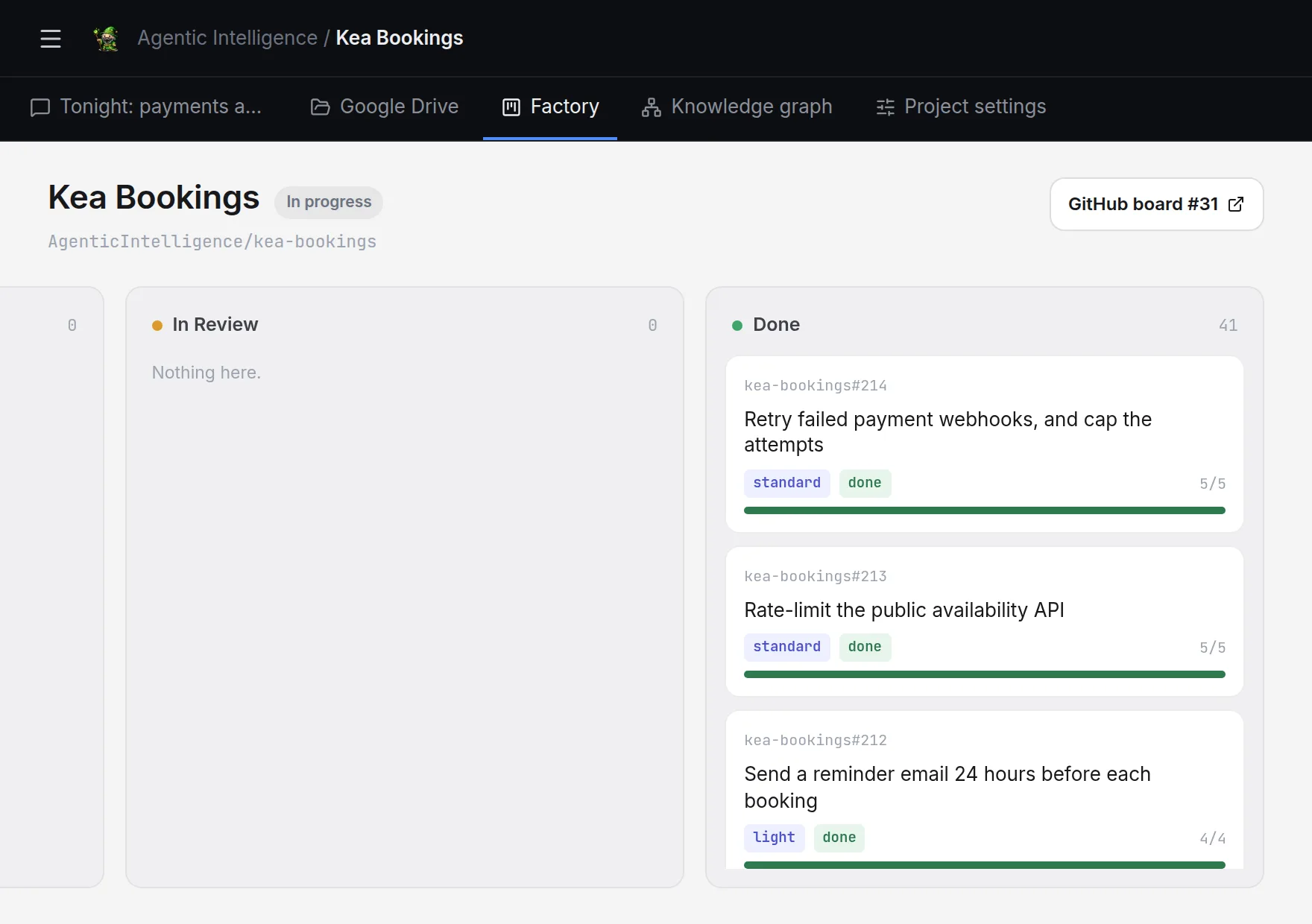
missioncontrol.softwarefactory.co.nz
What makes it a factory
Not a smarter terminal. A different shape of work.
A foreman that never clocks off
The steering agent watches the runs it starts and is woken the moment one needs something, at 3pm or 3am. It answers coders from your docs and reviews their work before anything reaches you.
Every change down the same line
Plan, implement, validate, review, merge. A workflow fixes each step’s agent, model and instructions, so the fortieth issue gets the same care as the first.
And the line is yours to draw
That five-step line is the default, not the only one. A company authors its own in the workflow editor: its own steps, the model each one runs on, which of them wait for a person. A new workflow saves as a draft until an owner publishes it.
Checks that actually run
Tests, lint and typecheck run as real commands, not as a model’s opinion of them. A red result sends the work straight back to the coder.
A feature at a time
Hand over a feature, not a task. A breakdown run reads the code and cuts it into an epic of sub-issues along the file boundaries they touch. What depends on what is recorded as a link, and no start path will run past an unfinished one. The independent pieces build in parallel, each in its own sandbox.
It knows your codebase
Every function, route and test, and how they connect, in one graph linked to the docs that explain them. Alongside it, the Flight Manual your team writes and your team’s Notion, read as you so an agent sees the pages you see and nothing you cannot. Your own agent can read the same context over MCP.
It does not lose your night
Deploying Mission Control does not kill the runs already in flight. Every run and every AI step has a time limit a retry cannot reset, a provider outage is waited out rather than failed, a node that failed can be retried on a different model, and the merge gate can resolve a conflict with the base branch instead of handing the work back to you.
Frugal with tokens
Each step runs on the cheapest model that can do it. Checks need no model at all, planning runs on Thatch with no per-token bill, and coders query the code graph instead of re-reading the repo.
Every run, in the open
The transcript, the metrics and the cost of every node, for the whole team.
Nothing runs in someone's terminal. Runs live on the board, transcripts are stored, and every node shows its turns, tokens, cache hits and cost. A coder node can run on a third-party subscription you already pay for, so its list price is shown, not charged. When something goes wrong, the escalation is a card with the agent's last output, not a Slack message asking who was running what.
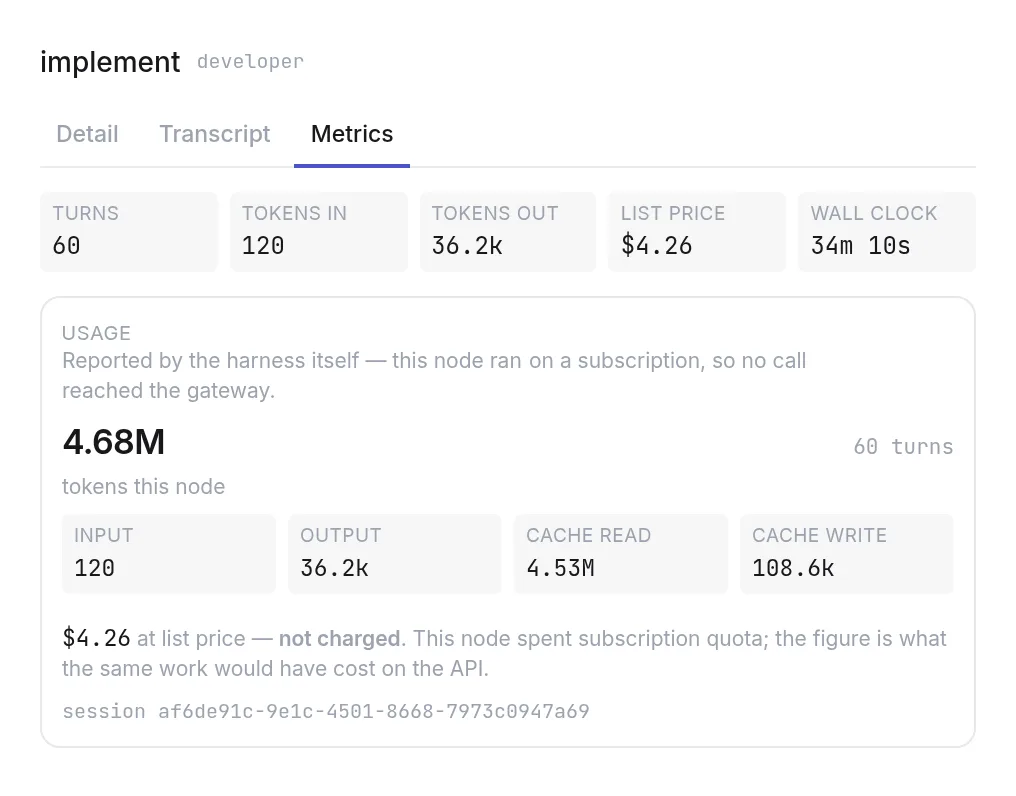
missioncontrol.softwarefactory.co.nz
Runs on our own compute
Sovereign AI inference, distributed across Aotearoa.
Thatch is our own AI inference project: self-contained compute units at many sites across New Zealand rather than one large building, running on New Zealand renewables, under New Zealand law. The Software Factory is one of its anchor workloads.
Sovereign by default. A node pinned to a Thatch model never leaves the country.
No per-token bill. Planning, review and the long boring loops run on capacity we own.
Chosen per node. Thatch for the planner, a frontier model for the code, side by side in one run.
Honest status. In active development with anchor partners. Throughput is shared, and the factory is built to wait for it.
Token traffic from Thatch nodes into a Mission Control run. Sites are illustrative.
Compared honestly
Built on the agents you already trust. Adds the layer they are missing.
The coding agents you already use are not competitors. They are harnesses a coder node runs. What a single agent cannot give you is everything around it.
Mission Control
One coding agent
Several agents on one issue, in a workflow with gates
●Yes
○No
Workflows your company authors, with its own gates
●Yes
○No
Keeps running while you are away
●Yes
◐Partly, one session at a timepartly
Runs survive a deploy of the platform
●Yes
○No
Approval gates before review and merge
●Yes
○No
Every pull request scored against its issue
●Yes
○No
Comes to your phone when a decision needs you
●Yes
◐Partly, one session at a timepartly
A browser and terminal you share with the agent
●Yes
◐Partly, one session at a timepartly
Work comes from your board, GitHub Projects or Linear
●Yes
○No
Whole team sees every run, transcript and cost
●Yes
○No
Pick the model per step, including our own on Thatch
●Yes
○No
Project context the agents read before they start
●Yes
◐Partly, one session at a timepartly
● yes · ◐ partly, one session at a time · ○ no
Manifest
Where the factory is going
Shipped
A browser you share
The agent drives it, you watch, take over and hand back. Streamed out of the sandbox, so it is usable from here.
A terminal you share, with Docker
tmux tabs in the agent's sandbox. It brings up the project's own services, runs the dev server and tests in them, and you type in the same tabs.
Background tasks
An agent starts a command or a watch, ends its turn, and is woken when it finishes.
Custom workflows
Author your own graph of steps, models and gates in the editor. A new one saves as a draft an owner publishes.
Linear boards
Issues from Linear as well as GitHub Projects, including several projects sharing one Linear team.
Feature breakdown
Hand over a feature and a run cuts it into an epic of sub-issues with dependency links.
Pull requests scored
A read-only review node scores the change against its issue out of 10 and says how to close each gap.
Notion as a source
The agents read your team's Notion as you, so they see the pages you see and nothing you cannot.
An MCP for outside agents
Your own agent connects to Mission Control and reads the same issues, runs and project context.
In flight
Nothing listed.
On the pad
Nothing listed.
Horizon
Nothing listed.
Brief it. Go home. Approve the merge.
Mission Control is by invite while we bring colleagues on. If you have an account, go in.